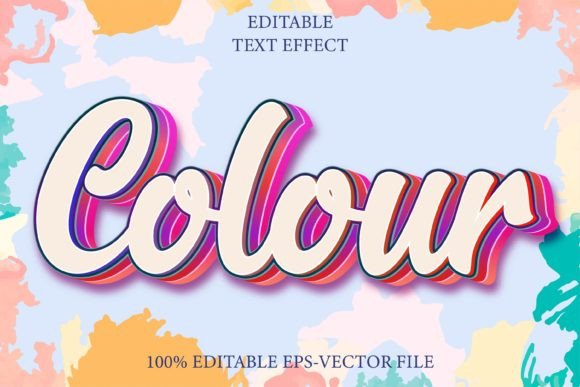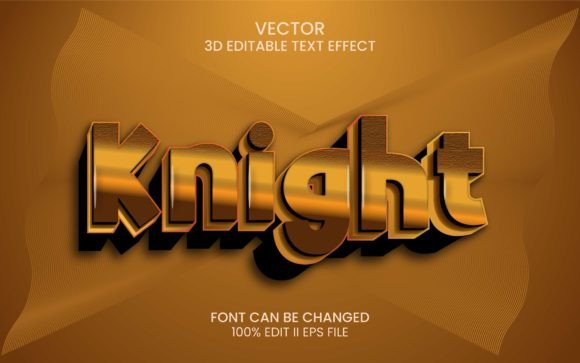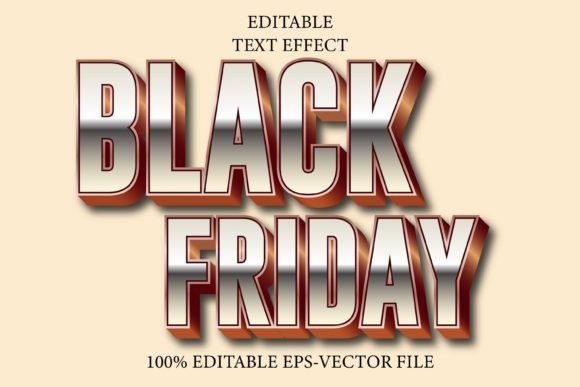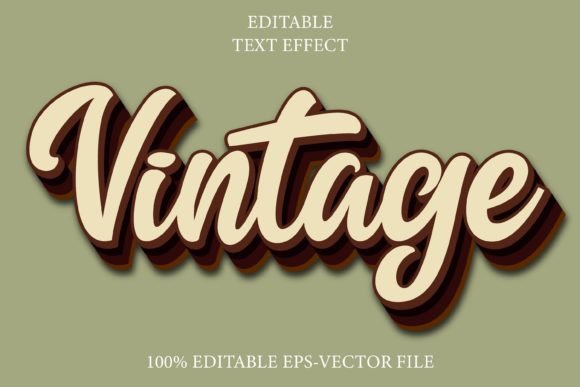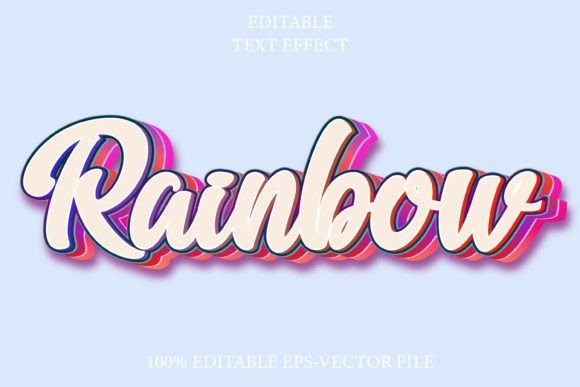
Rainbow 3D Emboss Text Effect
In the saturated landscape of digital design, capturing attention within the first few seconds is not just an advantage; it is a necessity. Whether you are crafting a social media graphic, designing packaging for a new product, or building a brand identity, typography plays a pivotal role in how your message is received. Standard flat text often fails to convey depth, energy, or modernity. This is where specialized tools like the Rainbow Editable Text Effect 3D Emboss become invaluable assets for creators who need to elevate their visual communication without spending hours on complex manual rendering.
It is crucial to understand from the outset that this tool is not a standalone font file. You cannot install it into your system folder and type with it in Microsoft Word or Photoshop. Instead, it is a sophisticated font effect designed specifically for Adobe Illustrator. This distinction matters because it ensures that the intricate details of the 3D embossing and the vibrant rainbow gradients remain crisp, scalable, and fully editable within a professional vector environment. For designers, marketers, and entrepreneurs, this means achieving high-end, custom-looking typography with a fraction of the effort traditionally required.
Streamlining the Design Workflow
One of the most significant challenges in graphic design is balancing quality with efficiency. Creating a realistic 3D embossed effect with a smooth rainbow gradient manually involves multiple steps: extruding shapes, managing light sources, applying complex mesh gradients, and adjusting shadows. For a freelancer working against a tight deadline or a small business owner handling their own marketing, this process can be prohibitive. The Rainbow Editable Text Effect 3D Emboss simplifies this workflow dramatically.
Because the effect is built as an Adobe Illustrator EPS file, it leverages the power of vector graphics. This means you can scale your text from the size of a business card to a billboard without any loss in quality. There is no pixelation, no blurring, and no need to recreate the effect at different resolutions. The ability to edit the typography instantly allows you to experiment with different messages rapidly. You might start with a short, punchy headline, realize it needs more context, and expand it to a full sentence—all while maintaining the integrity of the 3D style. This flexibility supports a more iterative and creative design process, where ideas can be tested and refined in real-time.
Versatility Across Industries and Applications
The visual impact of a rainbow 3D emboss style is versatile, appealing to a wide range of industries. However, its application requires a thoughtful approach to ensure it aligns with brand goals. Here is how different professionals can leverage this effect:
- Marketing and Advertising: In digital ads, especially on platforms like Instagram or TikTok, bright, dimensional text stops the scroll. The rainbow gradient adds a sense of playfulness and energy, making it ideal for promotions, sales announcements, or lifestyle brands targeting a younger demographic.
- Event Promotion: For music festivals, pride events, or creative workshops, this text effect conveys celebration and diversity. It can be used on posters, tickets, and social media banners to create a cohesive and exciting visual theme.
- Product Packaging: Small business owners selling artisanal goods, cosmetics, or snacks can use this effect to make their product names pop on shelves. The 3D emboss look mimics physical texture, suggesting quality and tactile appeal even in digital mockups.
- Educational Content: Educators and publishers creating engaging materials for children or creative courses can use these vibrant headers to break up text and maintain student interest.
The key benefit here is adaptability. Since the effect works with every font or shape within Illustrator, you are not locked into a single typographic style. You can choose a bold, sans-serif font for a modern tech look or a whimsical script for a creative project. The underlying 3D and color logic remains consistent, ensuring professional results regardless of the typeface chosen.
Technical Precision and Editability
For those accustomed to working in Adobe Illustrator, the structure of this effect offers significant technical advantages. The file format is EPS, a standard for vector graphics that ensures compatibility across different versions of Illustrator. The term "fully editable" is not just a marketing claim; it refers to the ability to access the anchor points, paths, and color swatches that make up the effect.
Consider a scenario where a client requests a slight adjustment to the color palette. Perhaps the rainbow needs to lean more towards pastel tones for a spring campaign, or deeper, richer hues for a holiday promotion. With a rasterized image (like a JPEG or PNG), this would require starting over or using complex photo editing techniques that often degrade quality. With the Rainbow Editable Text Effect 3D Emboss, you can simply adjust the gradient sliders or swap out colors in the swatch panel. The 3D emboss depth can also be tweaked if needed, allowing for fine-tuning that matches the specific lighting conditions of your overall design composition.
Furthermore, because it is vector-based, the file size remains relatively small compared to high-resolution raster images. This makes it easier to share with team members, upload to web platforms, and include in large presentation decks without bloating file sizes.
Important Considerations and Limitations
While the benefits are substantial, it is important to recognize the limitations to ensure this tool fits your specific needs. As noted, this is exclusively an Adobe Illustrator asset. If your primary workflow relies on Canva, Photoshop, or InDesign without linking to Illustrator, you will face compatibility issues. You cannot open this file directly in other software. To use it in other programs, you would need to export it as a high-resolution PNG with a transparent background, which sacrifices the editability feature. Therefore, this tool is best suited for users who have access to Adobe Illustrator and are comfortable navigating its interface.
Additionally, while the rainbow effect is eye-catching, it may not be suitable for every brand identity. Corporate finance firms, legal services, or luxury brands aiming for minimalism might find the vibrant, playful nature of the rainbow 3D emboss too informal. It is essential to consider your target audience and brand voice. This effect shines in contexts that value creativity, energy, and approachability. Always preview the text in the context of your full design to ensure it complements rather than overwhelms the other visual elements.
Making the Most of Your Typography
To get the best results from the Rainbow Editable Text Effect 3D Emboss, consider these practical tips:
- Choose the Right Font: Thicker, bolder fonts tend to showcase the 3D emboss effect better than thin, delicate scripts. The depth and shadow need surface area to be visible. Experiment with heavy weights to maximize the dimensional impact.
- Contrast is Key: Ensure your background provides enough contrast for the rainbow colors to stand out. A dark or neutral background often makes the vibrant gradients pop, while a busy patterned background might compete with the text.
- Keep it Legible: While the effect is decorative, the primary purpose of text is communication. Avoid using this effect for long paragraphs. It is best reserved for headlines, titles, logos, or short call-to-action buttons where immediate visual impact is desired.
- Test Scalability: Take advantage of the vector format by testing your design at various sizes. Ensure that the details of the emboss remain clear even when the text is scaled down for mobile views.
In conclusion, the Rainbow Editable Text Effect 3D Emboss is a powerful resource for anyone looking to add depth, color, and professionalism to their typographic designs. By combining the precision of vector graphics with the ease of pre-built effects, it bridges the gap between amateur experimentation and professional polish. For designers, marketers, and creators who value both aesthetics and efficiency, this tool offers a straightforward path to creating standout visuals that resonate with audiences and enhance brand presence.