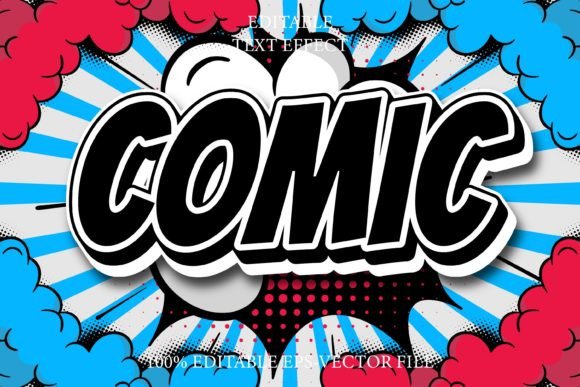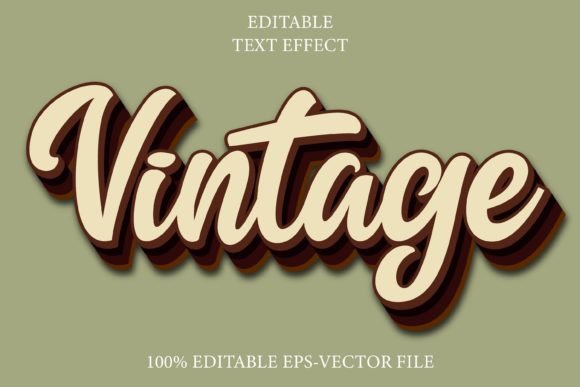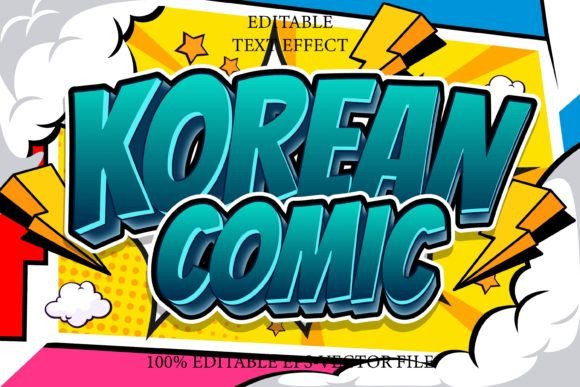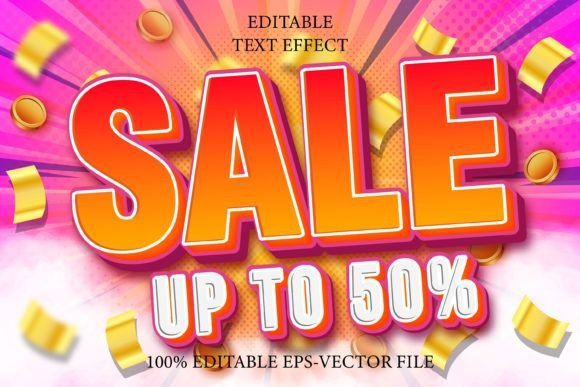
Mastering the Colour Editable Text Effect Emboss Style in Adobe Illustrator
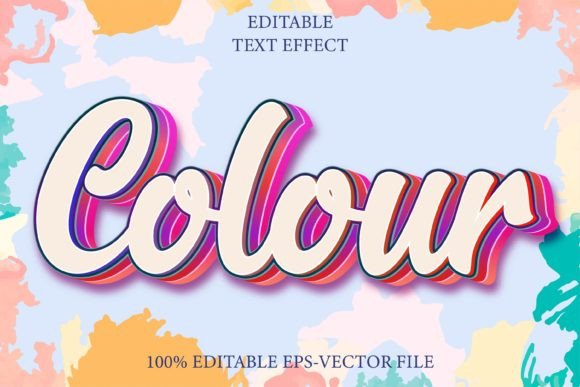
In the dynamic world of digital design, typography is far more than just choosing a font. It is about creating depth, texture, and visual hierarchy that captures attention instantly. For designers working within the Adobe ecosystem, the Colour Editable Text Effect Emboss Style represents a significant leap forward in workflow efficiency and aesthetic versatility. This is not merely a static image or a pre-rendered graphic; it is a sophisticated, fully editable typographic effect designed specifically for Adobe Illustrator. By understanding how to leverage this tool, creators can elevate their projects from flat concepts to tactile, three-dimensional experiences without getting bogged down in complex layer management or tedious manual shading.
Understanding the Core Technology
At its heart, the Colour Editable Text Effect Emboss Style is a specialized asset built for precision. It is crucial to clarify what this product is and, perhaps more importantly, what it is not. This is not a standalone font file that you install into your operating system. Instead, it is a complex collection of vector effects, gradients, and styles packaged within an Adobe Illustrator EPS file format. Because it relies on proprietary rendering engines within Illustrator, it cannot be opened or edited effectively in other software such as Photoshop, CorelDRAW, or free alternatives like Inkscape. This limitation ensures that the integrity of the effect remains intact, providing a consistent result every time it is used.
The primary advantage of this approach is full editability. Traditional embossed text often requires rasterizing layers or merging shapes, which makes future changes difficult. With this effect, the underlying text remains live. You can change the copy, swap the typeface, or adjust the kerning, and the emboss effect updates automatically. This seamless integration saves hours of manual adjustment, allowing designers to focus on creativity rather than technical troubleshooting.
Key Features and Characteristics
When evaluating design assets, professionals look for flexibility and scalability. The Colour Editable Text Effect 3D Emboss Style delivers on both fronts. Here are the defining characteristics that make it a valuable addition to any designer’s toolkit:
- Universal Font Compatibility: The effect works with every font installed on your system. Whether you prefer sleek sans-serifs for modern branding or ornate scripts for luxury packaging, the emboss style adapts seamlessly to the geometry of the letters.
- Scalability Without Quality Loss: As a vector-based solution, the text can be scaled to any size—from a small business card logo to a massive billboard—without pixelation or loss of detail. This is a critical feature for brands that need consistent identity across various media.
- Easy Color Customization: The "colour editable" aspect allows for rapid experimentation. Designers can match brand guidelines instantly by adjusting the gradient meshes and solid fills that constitute the emboss effect. There is no need to rebuild shadows or highlights manually.
- 100 Editable Variations: The package typically includes a wide array of presets. This diversity ensures that you are not locked into a single look. You can choose subtle, soft embosses for professional documents or deep, dramatic 3D effects for promotional posters.
Practical Applications in Real-World Scenarios
The versatility of the Colour Editable Text Effect Emboss Style makes it suitable for a broad spectrum of industries and project types. Understanding where to apply these effects can significantly enhance the perceived value of a design.
Branding and Identity
For business owners and brand strategists, typography is the voice of the company. Using a 3D emboss effect on a logo can convey stability, luxury, and tangibility. For instance, a high-end jewelry brand might use a gold-toned emboss effect to simulate metal stamping, while a tech startup might opt for a clean, subtle deboss to suggest precision engineering. The ability to edit these colors easily means that if a brand undergoes a refresh, the logo template can be updated in minutes rather than days.
Packaging Design
In the retail sector, packaging must stand out on crowded shelves. The Colour Editable Text Effect 3D Emboss Style allows designers to create realistic mockups that show clients exactly how printed foil stamping or raised ink will look. By simulating these physical textures digitally, businesses can make informed decisions about printing techniques before committing to expensive production runs. This reduces waste and ensures that the final product matches the digital proof.
Digital Marketing and Social Media
Online users scroll through thousands of images daily. To stop the scroll, visuals need depth. Flat design has its place, but textured typography adds a sensory element that engages the viewer. Creators can use these effects for Instagram quotes, YouTube thumbnails, or website headers. The sharpness of vector graphics ensures that text remains crisp on high-resolution Retina displays and mobile screens alike.
Evaluating Suitability: Is This Tool Right for You?
While the benefits are clear, it is important to assess whether this specific tool aligns with your workflow and needs. Not every project requires a complex emboss effect, and not every designer uses Adobe Illustrator.
- Software Dependency: If you primarily work in Photoshop or Canva, this asset will not be useful to you. It is strictly for Illustrator users. Ensure that you have a compatible version of Adobe Illustrator installed before purchasing or downloading.
- Project Complexity: For quick, informal social media posts, the setup time might outweigh the benefits. However, for client-facing deliverables, print materials, or high-stakes branding projects, the professional finish provided by the Colour Editable Text Effect Emboss Style is invaluable.
- Learning Curve: Although marketed as "very easy to edit," users should have a basic understanding of Illustrator’s interface. Knowing how to select objects, change fonts, and adjust color swatches is necessary. Fortunately, most packages come with instructions, and the intuitive nature of vector editing makes the learning process smooth for intermediate users.
Strengths and Considerations
Every design tool has its strengths and limitations. Acknowledging these helps set realistic expectations.
Strengths: The primary strength lies in the non-destructive workflow. Because the text remains editable, you can iterate quickly. Client feedback such as "can we try a darker blue?" or "change the font to bold" becomes a trivial task rather than a major revision. Additionally, the vector format ensures future-proofing; your designs will look sharp regardless of future display technologies.
Considerations: Users must remember that this is a visual simulation. While it looks like real embossing on screen, it does not automatically create the die-lines or plate files needed for physical embossing in print production. It is a visual effect for digital representation or flat printing simulations. For actual physical embossing, you would still need to consult with your printer to create the necessary mechanical plates, though this tool serves as an excellent visual reference.
Maximizing Value in Your Workflow
To get the most out of the Colour Editable Text Effect 3D Emboss Style, consider integrating it into your template library. Save your favorite configurations as Graphic Styles in Illustrator. This allows you to apply the same emboss look to new text boxes with a single click. Furthermore, experiment with combining the emboss effect with other Illustrator features, such as opacity masks or blending modes, to create unique, hybrid textures that stand out from standard presets.
For agencies handling multiple clients, maintaining a organized folder of these EPS files can streamline the onboarding process for new projects. When a brief calls for "premium" or "tactile" typography, you can immediately pull up a relevant emboss style, customize the color to the client’s palette, and present a polished concept within hours.
Conclusion
The Colour Editable Text Effect Emboss Style is more than just a decorative add-on; it is a productivity tool that bridges the gap between conceptual design and polished final output. By offering full editability, universal font compatibility, and scalable vector quality, it empowers designers to create sophisticated, three-dimensional typography with ease. Whether you are a seasoned professional looking to speed up your workflow or a business owner aiming to enhance your brand’s visual presence, understanding and utilizing this effect can significantly elevate the quality of your creative projects. As long as you are working within Adobe Illustrator, this tool provides a reliable, efficient, and visually stunning way to bring your text to life.